Flutter - Trippo Ride Sharing App (Uber Clone) - Driver New Trip Screen [Part-16]
عدد الدروس : 1 عدد ساعات الدورة : 00:59:21 شهادة معتمدة : نعم التسجيل في الدورة للحصول على شهادةللحصول على شهادة
- 1- التسجيل
- 2- مشاهدة الكورس كاملا
- 3- متابعة نسبة اكتمال الكورس تدريجيا
- 4- بعد الانتهاء تظهر الشهادة في الملف الشخصي الخاص بك
عن الدورة
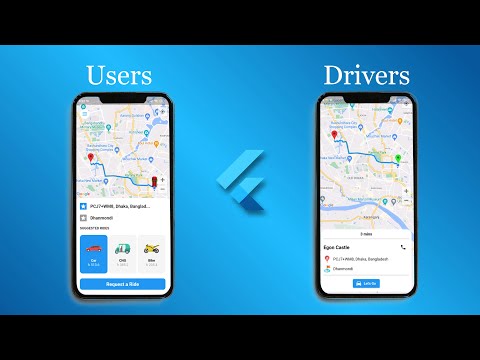
In this sixteenth part of the Trippo Ride Sharing App series, you will build the “New Trip Request” screen for the driver application. This screen is a critical component of any ride-sharing system, as it allows drivers to view and respond to incoming ride requests in real time.
You will start by designing a clean and responsive UI that displays all important trip details, including pickup location, dropoff location, estimated distance, duration, and fare information. This ensures that drivers have all the necessary information before accepting or rejecting a ride.
Next, you will connect this screen with the push notification system built in previous parts. When a new ride request is received, the data will be passed directly to this screen and displayed instantly.
You will also implement actions for accepting or rejecting the trip request. Accepting a trip will update the system state and prepare the app for navigation and ride tracking, while rejecting will return the driver to the idle state.
Additionally, you will improve state management to ensure smooth communication between the driver app, notifications, and backend services.
By the end of this part, your Flutter ride-sharing app will support a fully functional driver trip request system, making the experience more realistic and closer to production-level ride-sharing platforms.


