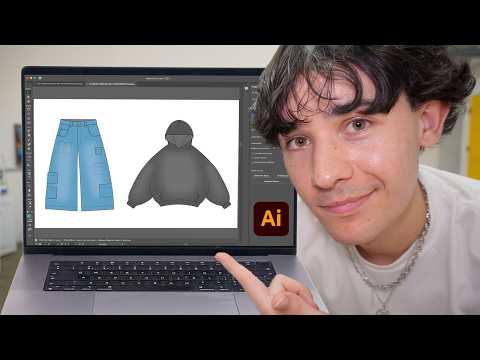
How to Design Clothes with Adobe Illustrator
عدد الدروس : 1 عدد ساعات الدورة : 01:19:28 شهادة معتمدة : نعم التسجيل في الدورة للحصول على شهادةللحصول على شهادة
- 1- التسجيل
- 2- مشاهدة الكورس كاملا
- 3- متابعة نسبة اكتمال الكورس تدريجيا
- 4- بعد الانتهاء تظهر الشهادة في الملف الشخصي الخاص بك
قائمة الدروس
عن الدورة
Adobe Illustrator is one of the most widely used tools in modern fashion design for creating clean, precise, and scalable garment illustrations. It allows designers to develop fashion sketches, technical flats, and detailed clothing concepts that are used in both creative development and production workflows. This series explains how to design clothes in Adobe Illustrator from the ground up, focusing on essential tools and fashion-specific techniques.
The process begins with setting up the workspace for fashion design. Designers learn how to create artboards, organize layers, and prepare a structured file for sketching garments. A well-organized workspace is important for keeping designs clean and editable throughout the creative process.
Next, the tutorial introduces basic shape building and drawing tools. Using simple geometric shapes, designers can construct garment foundations such as tops, skirts, pants, and jackets. These shapes are then refined using anchor points and path adjustments to create smooth and accurate clothing silhouettes.
The Pen Tool plays a key role in fashion illustration inside Adobe Illustrator. It allows designers to create clean vector lines that define garment edges, seams, and construction details. Learning how to control curves and anchor points is essential for producing professional-quality fashion flats and sketches.
As the design develops, attention shifts to adding garment details such as seams, stitching lines, darts, pleats, collars, sleeves, and pockets. These technical elements help communicate how a garment is constructed and are commonly used in fashion design presentations and production sheets.
Color and fabric representation are also important parts of the process. Designers learn how to apply flat colors, gradients, and textures to simulate different fabric types such as cotton, denim, silk, or leather. This helps bring fashion illustrations to life while maintaining a clean and professional look.
The tutorial also explores how to create fashion flats, which are technical drawings used in the fashion industry to communicate garment construction details. These flats are essential for manufacturers, pattern makers, and design teams to understand how a garment should be produced.
In addition to technical skills, the series highlights creative workflow strategies. Designers are encouraged to experiment with different silhouettes, styles, and garment ideas while maintaining consistency in line quality and presentation. Adobe Illustrator allows easy editing and refinement, making it ideal for iterative design development.
The content also emphasizes the importance of practice and observation. Studying real garments, fashion trends, and fabric behavior helps improve drawing accuracy and design understanding over time.